Shopify Catalog Maker: Stop the Manual Export Grind
Stop building line sheets by hand. Use the most intuitive Shopify catalog app to turn your collections into professional PDF catalogs or digital flipbooks in minutes.
Designing catalogs shouldn't be a full-time job.
We've all been there. You have a trade show coming up or a big wholesale lead, and you're stuck in a loop of exporting Shopify CSVs, dragging images into InDesign, and hoping the formatting doesn't break.
The worst part? The second you change a price or a product goes out of stock, your PDF is wrong. You have to start the whole manual process over again.
Catalogly is built to stop that cycle. Once it's connected to your store, it talks directly to your product data. No manual data entry, no blurry photos, and no more "Line-Sheet-FINAL-v4.pdf." Want the full walkthrough? See our Shopify Catalog Guide.
From Store to Print-Ready in 4 Steps
1. Hook up your store
Install this Shopify catalog app and it instantly pulls your product titles, high-res images, and prices. There is no "importing" step; it just works with what you already have in Shopify.
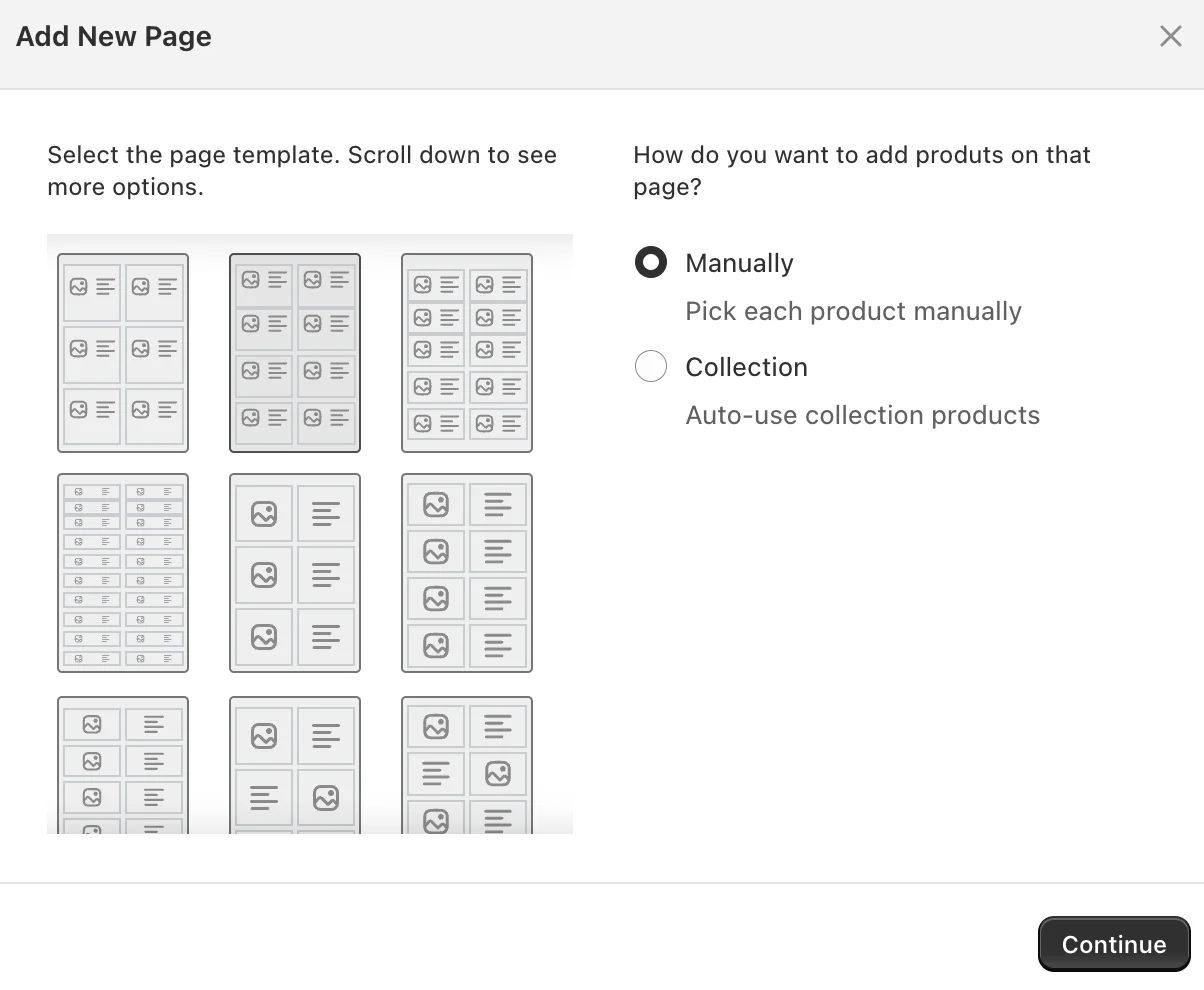
2. Pick a layout that works
Choose from 30+ templates. Whether you want a high-end lookbook (1-4 products per page) or a dense "order form" style grid (15+ products), the design work is already done.
3. Tweak it (Live)
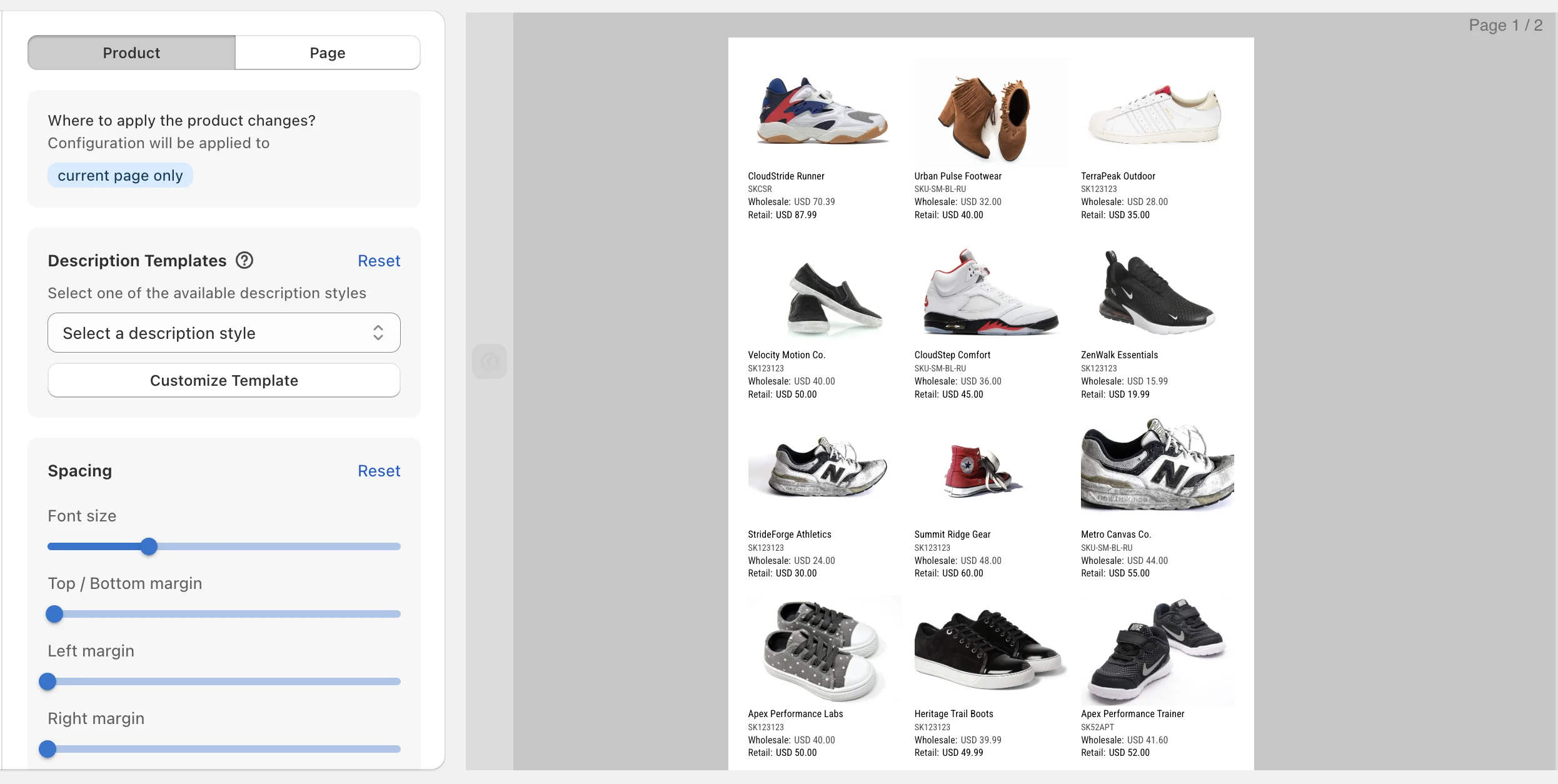
Our editor lets you adjust margins, font sizes, and spacing until it looks right. Use Collection Mode to sync entire categories automatically, or hand-pick specific items for a custom buyer deck. You see the changes as you make them.
4. Hit Export
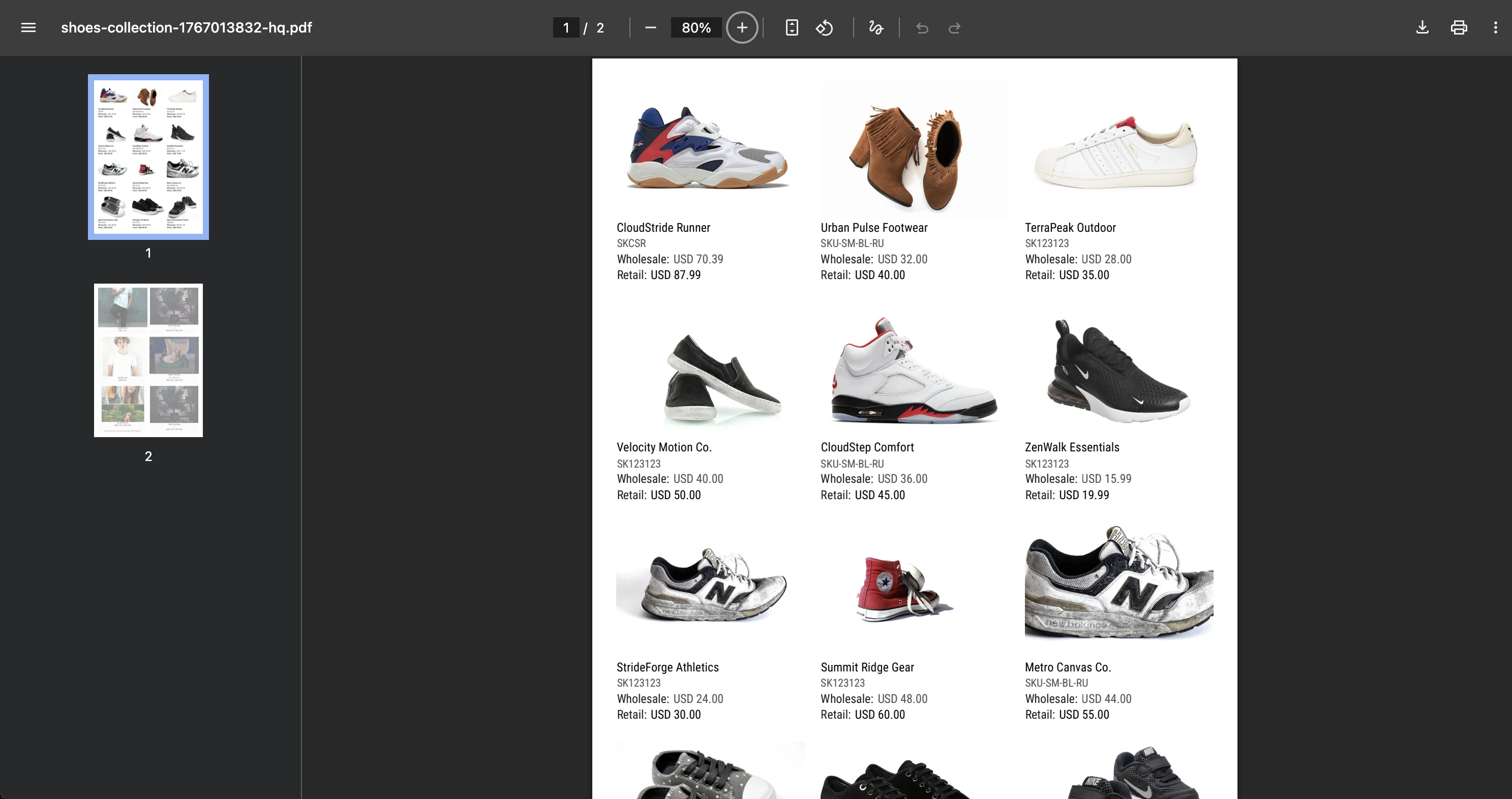
Grab a high-res, print-ready PDF for your booth or generate a link for an interactive flipbook.
Which layout should you use?
Choosing the right template depends on how much "breathing room" your products need:
Visual Showcase (1-4 products/page):
Best for luxury, jewelry, or apparel where the photo needs to do the selling. See line sheet examples →
Balanced Grid (6-9 items/page):
Our most popular choice. It's the standard for general wholesale line sheets.
High-Density Grid (12-15 items/page):
If you have hundreds of SKUs, use this to keep your page count (and printing costs) down.
Detailed Rows:
Perfect for industrial parts or technical goods where specs matter more than big visuals.
Catalogly vs. The "Old Way"
| The Headache | The Manual Way | The Catalogly Way |
|---|---|---|
| Updating Prices | Manually editing 50+ pages. | One-click refresh. |
| Design Work | Hours of fighting alignment. | 30+ pre-built wireframes. |
| Data Accuracy | Copy-pasting errors. | Direct Shopify sync. |
| Trade Shows | Blurry, low-res exports. | High-res, print-ready files. |
| Digital Sharing | Huge, clunky email attachments. | Interactive Flipbook links. |
Why merchants choose this Shopify catalog maker
Real-Time Previews:
Stop guessing. See exactly how the page breaks look before you hit download.
Wholesale Pricing:
Pull your B2B pricing tags directly into the layout. Hide the retail price or show both to highlight the margin. Learn about wholesale catalogs →
Print-Ready Resolution:
We pull the highest quality images from your Shopify CDN so your printed catalogs don't look pixelated.
Flipbooks Included:
Give your customers a "page-turning" experience they can view on their phones—no huge attachments that get stuck in spam filters.
Smart Spacing:
No more cramped layouts. Dial in the padding so your brand actually looks professional.
Simple Pricing. Use it for Free.
We want you to see the quality of our Shopify catalog app before you pay a cent.
Free
$0
- 2 catalogs
- 5 pages per catalog
- Flipbook
- PDF export
- Metafields
- QR codes & barcodes
Pro
$9.99/mo
- 10 catalogs
- Unlimited pages
- Flipbook
- PDF export
- Metafields
- QR codes & barcodes
- Full template library
- High quality images
Advanced
$19.99/mo
- 50 catalogs
- Unlimited pages
- Flipbook
- PDF export
- Metafields
- QR codes & barcodes
- Full template library
- High quality images
Unlimited
$49.99/mo
- Unlimited catalogs
- Unlimited pages
- Flipbook
- PDF export
- Metafields
- QR codes & barcodes
- Full template library
- High quality images
Common Questions
Does it update if I change a price in Shopify?
Yes. Just open the app, hit refresh, and export the new version. It pulls the latest data directly from your store.
Can I hide certain products?
Totally. You can use "Manual Mode" to pick exactly which SKUs make the cut for a specific buyer or collection.
Do I need to be a designer?
Nope. If you can navigate a Shopify admin, you can use this Shopify catalog maker. We handle the math on margins and alignment.
What is a flipbook?
It's a digital version of your catalog that "flips" like a real book. It's a link you can text or email to buyers—much easier than sending a 20MB file.