Professional Line Sheet Templates
for Shopify
From high-density price lists to premium visual catalogs—choose the perfect layout for your wholesale business. No design work needed.
30+ templates. Unlimited customization. One app.
Most wholesale catalogs fail because they try to be everything to everyone. A buyer looking for luxury jewelry needs a different experience than a distributor ordering 500 SKUs of plumbing supplies.
At Catalogly, we've built 30+ templates not just for variety, but to match the specific psychology of how your B2B customers shop. Here's how to pick the right one for your Shopify store without the design-heavy overhead. Learn how it works →
Stop Scanning, Start Seeing: For Visual Brands
If you're in fashion, jewelry, or high-end home decor, density is your enemy. When you cram 15 premium products onto one page, you strip away their perceived value.
The Strategy: Use our Visual Showcase layouts (1-4 products per page).
Why it works: It mimics a high-end lookbook. Buyers see craftsmanship, texture, and context—not just a product grid.
The Edge: These templates pull high-resolution assets directly from your Shopify product media. You get large, bleed-to-edge imagery that lets buyers see the texture and craftsmanship—details that a tiny thumbnail would hide.
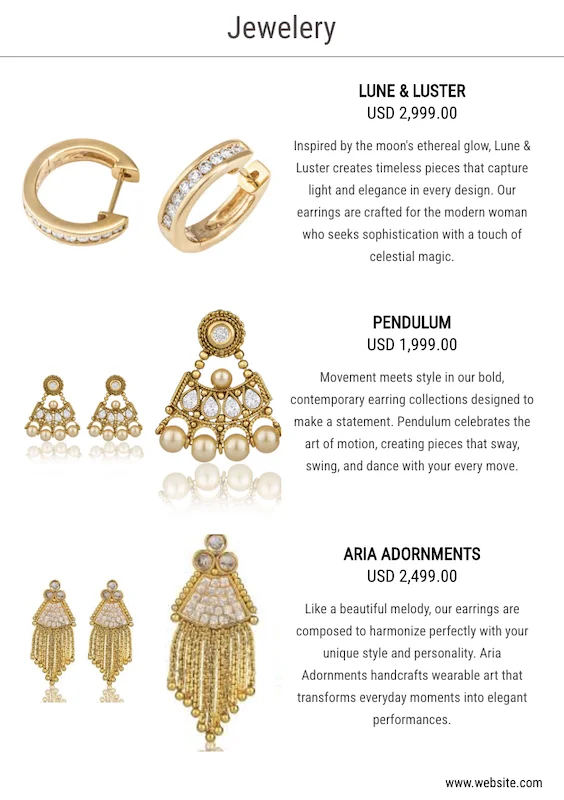
Visual Showcase Layout: 1-4 products per page
Efficiency for the Volume Buyer
Distributors and long-term partners aren't "browsing"; they're restocking. They know your products by SKU or name, and they want to find the price and move on.
The Strategy: The High-Density Grid (12-15 products per page).
Why it works: It prioritizes image first, then price, then SKU—but everything is still easy to scan at a glance.
The Edge: This layout emphasizes the SKU and the price gap (Wholesale vs. MSRP). It's a tool for quick decision-making, perfect for trade show handouts where the buyer's goal is to scan as much inventory as possible in seconds.
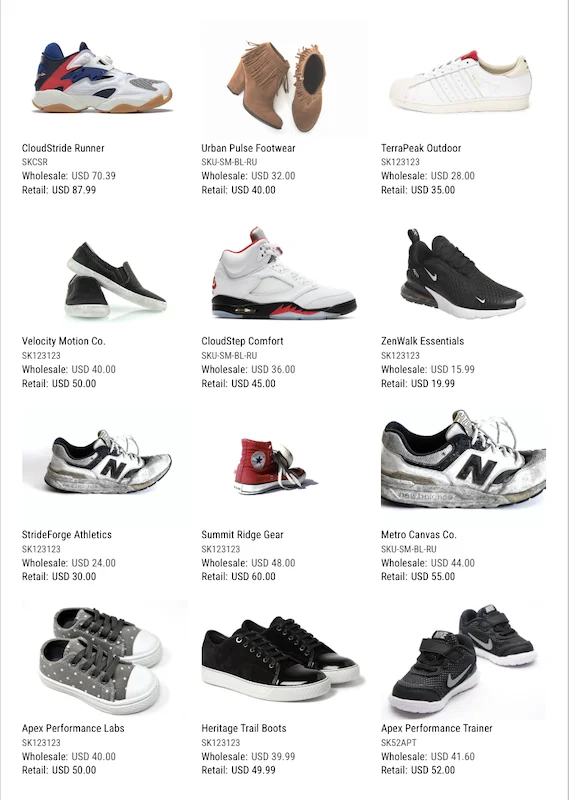
High-Density Grid: 12-15 products per page
The "Technical" Middle Ground
Furniture, electronics, and industrial goods require context. A photo alone isn't enough; the buyer needs dimensions, materials, or lead times.
The Strategy: Detailed Row Layouts.
Why it works: By placing the description beside the image rather than under it, you create a readable "spec sheet" feel.
The Edge: This is where Shopify Metafields shine. You can map your custom fields (like "Voltage," "Weight," or "Wood Type") directly into the row, ensuring the technical specs are front and center without cluttering the design.
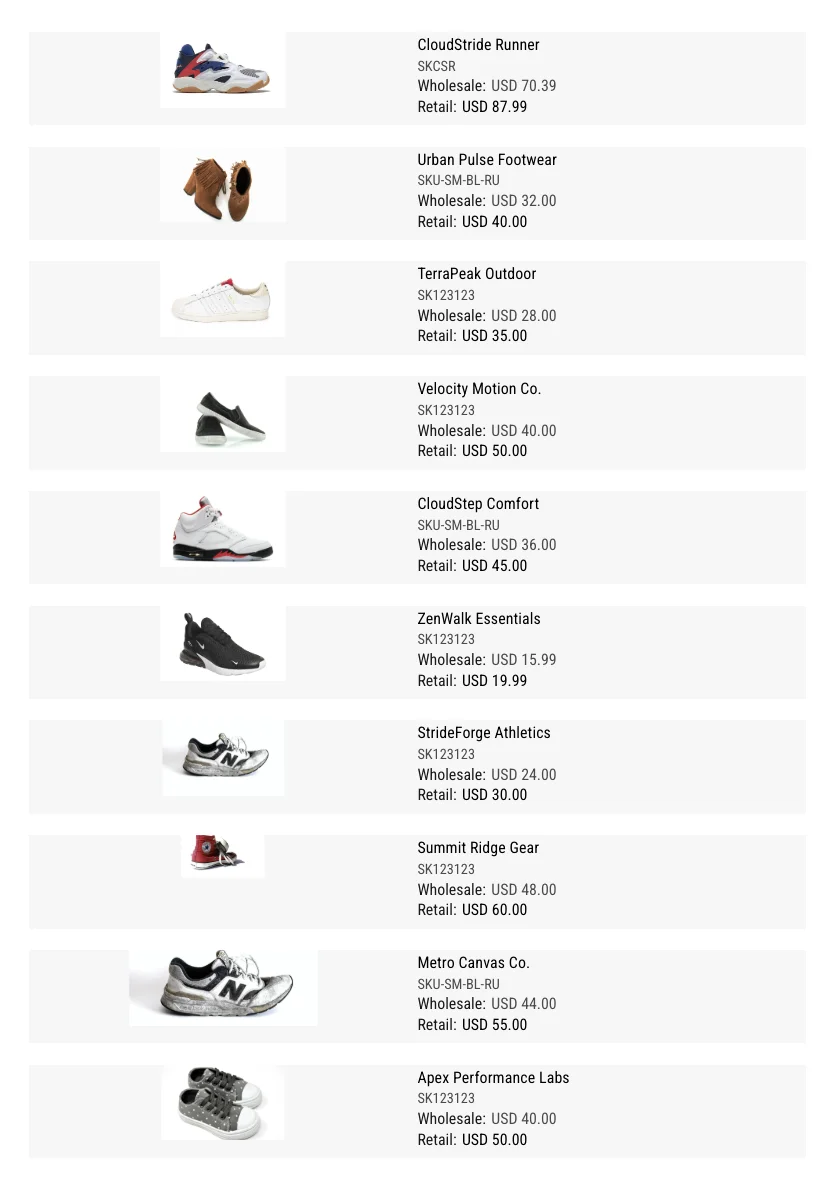
Detailed Row Layout: Specs beside images
The "Catalogly" Workflow: From Store to PDF in Four Clicks
The biggest hurdle in wholesale is keeping data accurate. If you change a price in Shopify, your PDF catalog is usually obsolete five minutes later. We solved that.
Sync: Connect to your Shopify store. Every product, price, and variant is pulled in real-time.
Select: Choose your layout based on your industry. (Not sure? Start with a Balanced 6-Grid).
Brand: Upload your logo and set your brand colors. The template adapts to you, not the other way around.
Distribute: Export as a print-ready PDF for the warehouse or a digital flipbook for your email list.
Every template automatically pulls product images, applies your pricing rules, and syncs custom metafields. Learn how pricing works →
Which Layout Should You Choose?
Match your template to your buyer's shopping behavior.
Your product is premium/visual: → Visual Showcase
High SKU count (100+ products): → High-Density Grid
Spec-heavy products: → Detailed Rows
Buyers need to see quality/detail: → Visual Showcase
Buyers need to scan prices fast: → High-Density Grid
Buyers need technical context: → Detailed Rows
Not sure? Start with a Balanced 6-Grid layout—it handles most B2B use cases and you can switch templates anytime without starting over.
Stop Wasting Hours on Manual Layout Work
Install Catalogly from the Shopify App Store and generate your first professional line sheet today. Pick a template, sync your products, and you're done.
Trusted by wholesale businesses on Shopify worldwide
Frequently Asked Questions
What happens if I change my prices tomorrow?
Open the app, hit refresh, and export. Your line sheet is updated instantly. No more "Sorry, that's the old price" emails.
Can I show different prices to different buyers?
Yes. You can create multiple versions of the same catalog using different pricing rules or Metafields, allowing you to tailor your offer to small boutiques vs. major distributors.
Do these templates work for 1,000+ products?
Yes. Our high-density layouts are built specifically to handle massive SKU counts without creating a 500-page file that's impossible to email.
Can I switch between templates?
Absolutely. Your products, prices, and customizations stay intact—just pick a new layout and the app re-formats your catalog automatically. Try different templates to see what works best.
How do multiple product images work?
The app automatically pulls all available product images from Shopify and fills template slots based on your layout. For Visual Showcase templates, you'll see 2-6 images per product automatically. You can manually adjust if needed.
Do I need design skills?
No. Templates are professionally designed and ready to use. Just select your products from Shopify, choose a template based on your buyer type, and customize with simple controls for logo and colors.
What file formats can I export?
Export as print-ready PDF (perfect for trade shows, printing, or email attachments) or create an interactive flipbook with a shareable link (great for online viewing and tracking who viewed your catalog).