Flipbooks
Your Catalog as an Interactive Online Experience
Share a link, embed on your website, or let buyers browse and add to cart — all from the same catalog. Three viewing modes, shoppable products, no extra tools needed.
Free plan available
Three ways to browse
Pick the viewing mode that fits how your buyers shop
A PDF is great for print — but buyers browsing on their phone or previewing your range at a trade show want something they can tap through, not download and open. A flipbook lives at a URL, works on any device, and can be shared in seconds.
Carousel view
Multiple pages side by side
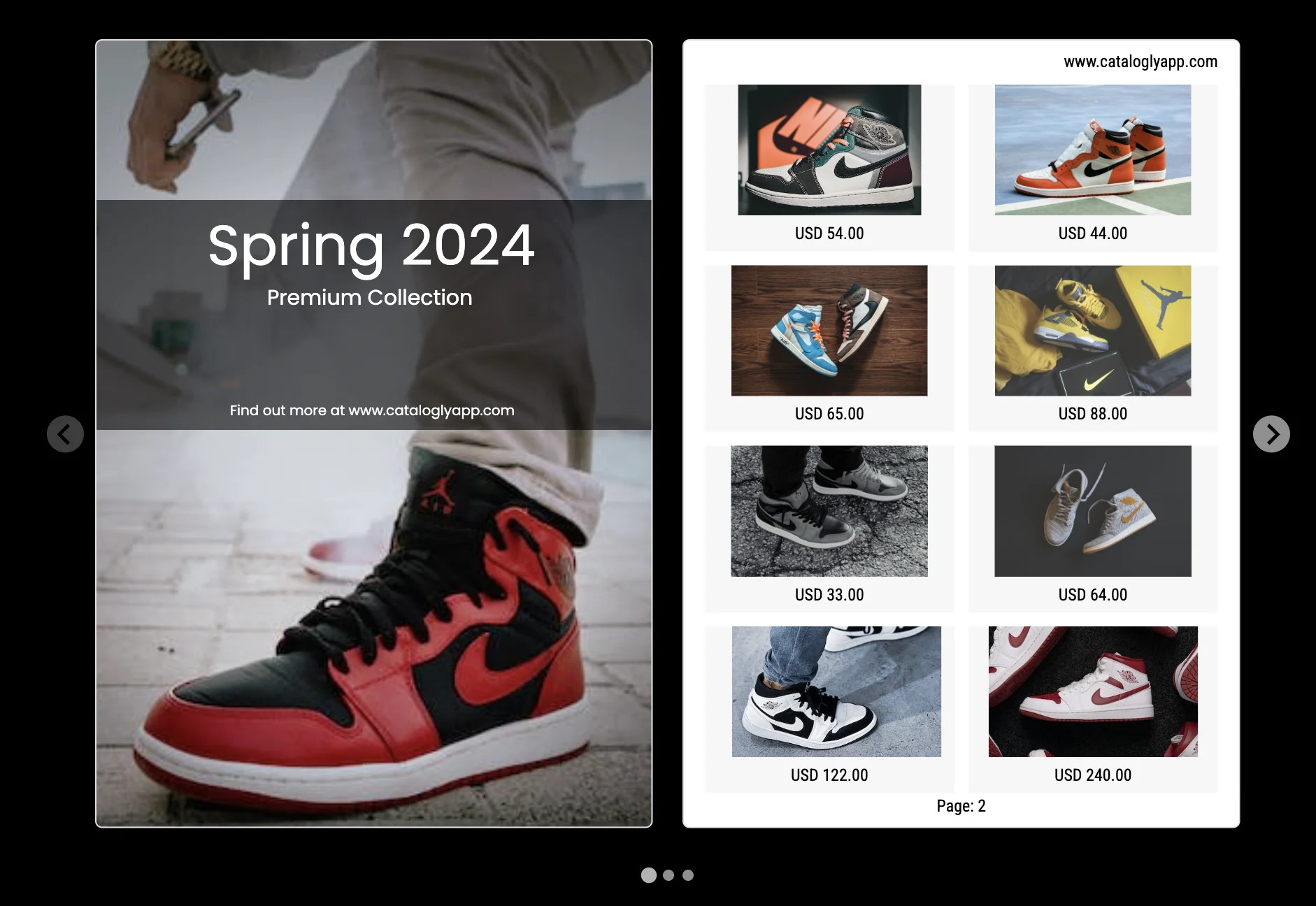
Browse your catalog like a gallery — multiple pages visible at once, swipe or click through. Clean, fast, great for trade shows and buyer presentations.
See live example →Page flipping
Interactive book experience
A realistic page-turn experience — spreads open like a physical book. Ideal when the catalog feel matters, for retail buyers or end customers browsing a lookbook.
See live example →Single page scroll
Simple vertical scroll
One page at a time, scroll to move through the catalog. Works perfectly on mobile. The most accessible format for sharing via email or social media.
See live example →Shoppable catalogs
Buyers can add to cart without leaving the catalog
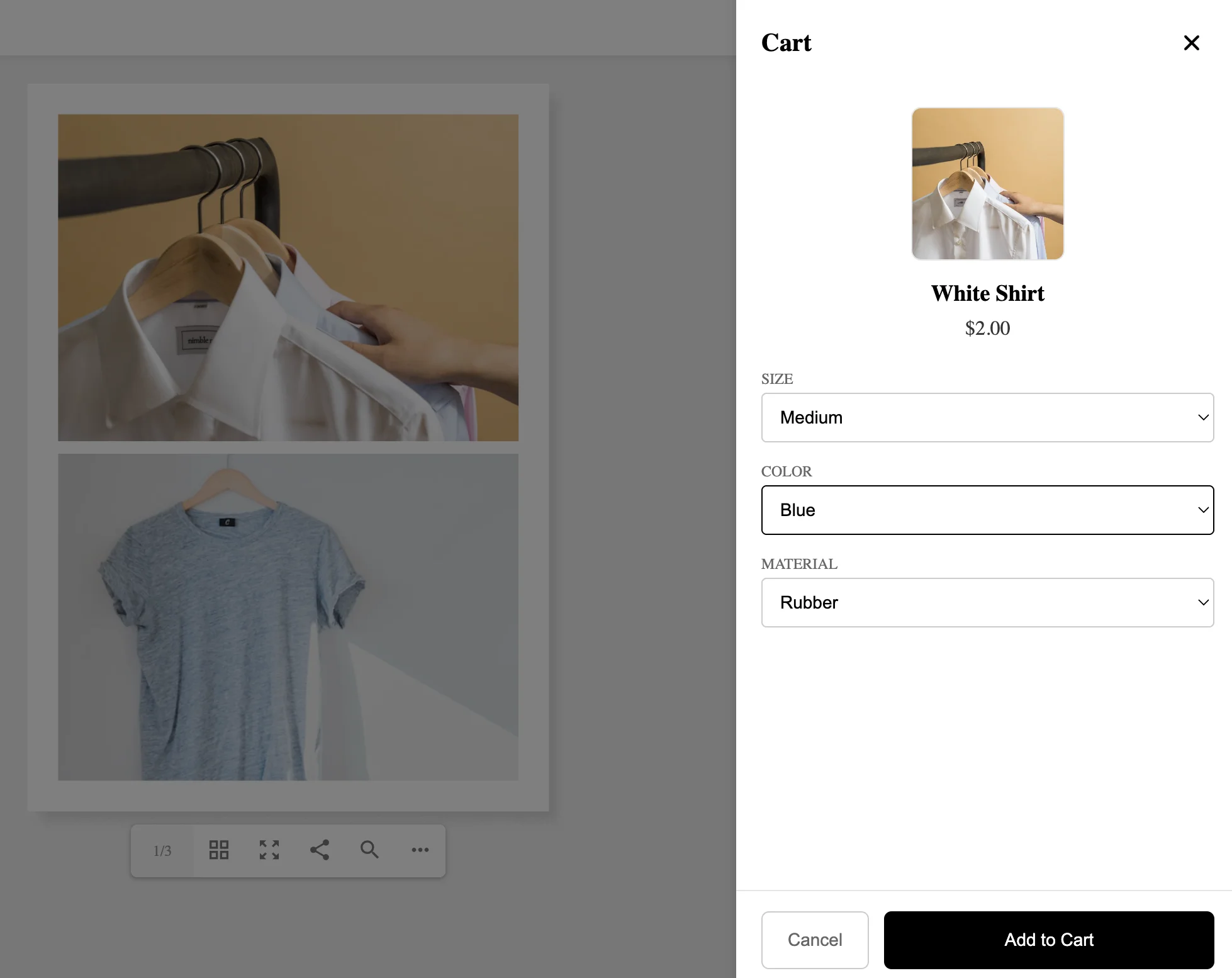
Connect your flipbook to your Shopify store and turn any catalog page into a shopping experience. Buyers select size, color and variant — then add directly to the Shopify cart.
- Click-through links — Every product links to its page on your store
- Shopify cart integration — Add to cart with variant selection, straight from the catalog
- No separate checkout — Buyers stay in the catalog flow until they're ready
Frequently asked questions
Do buyers need to download anything to view a flipbook?
Buyers don't need to download anything — the flipbook opens directly in any browser, on desktop, tablet or mobile. They just click the link; no app or plugin required.
Will the flipbook work on mobile devices?
Flipbooks work on all mobile devices — all three viewing modes are mobile-friendly, and Single page scroll is especially well-suited for phone screens.
How do I share a flipbook with buyers?
Each flipbook gets a unique URL on onlinecataloglyapp.com. Copy the link and send it by email, WhatsApp, or any other channel. You can also embed it on your website using an iframe.
Does the flipbook update when I change my catalog?
The flipbook is a snapshot — it's generated from your catalog at a point in time. If you update your catalog, you generate a new flipbook and share the new link.
Ready to share your catalog online?
Generate your first interactive flipbook in minutes. Share a link, embed on your site, or enable shopping.